
Idea
A Customer Secret can be thought of as a “password” that you can send to your clients so that they can access their licenses without first creating a Cryptolens account. You can use GetCustomerLicensesBySecret with the Customer Secret to obtain the licenses associated with that customer. For example, this is useful if your clients have licenses to multiple products. They only need to remember their Customer Secret, and your application can find the right license for them.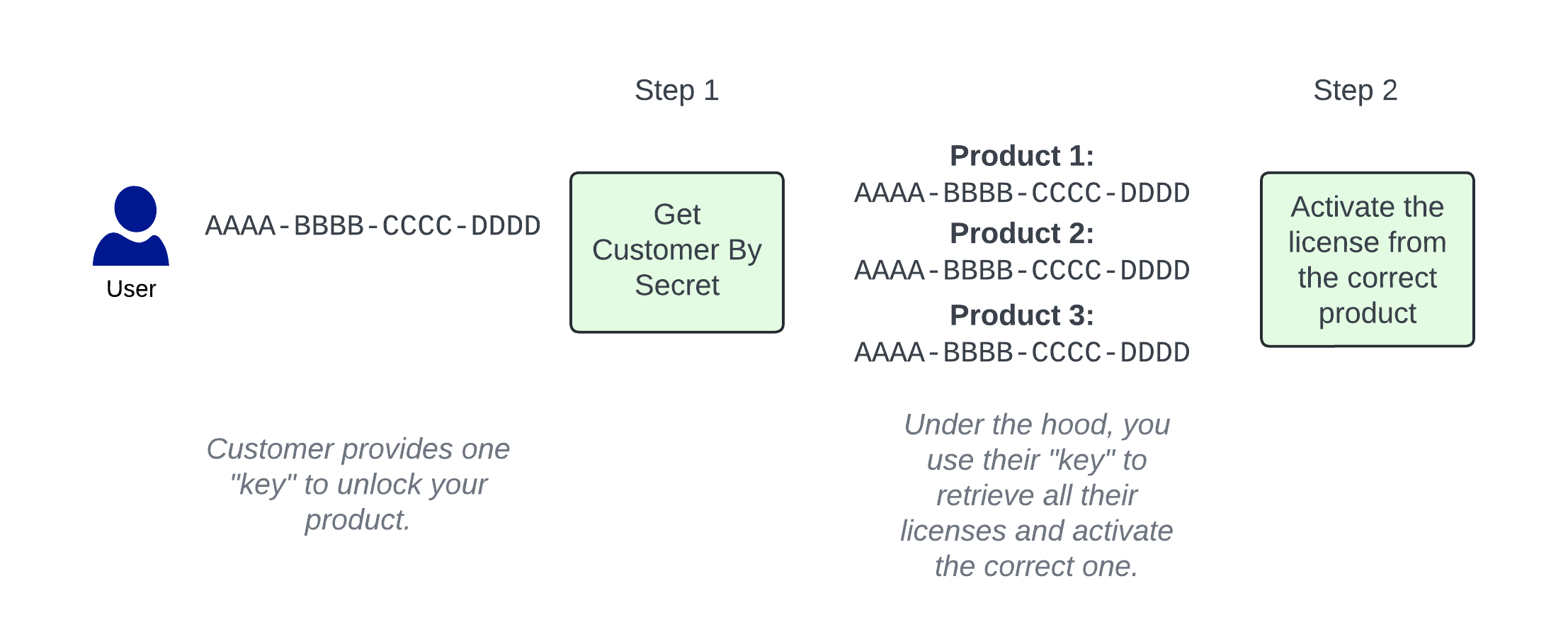
Configuration
Changing the format
By default, the customer secret will be in the form of a GUID, for example:6dffda95-05cb-4754-bb49-c4a0be6ea647.
If you prefer to have shorter customer secrets that resemble a license key, i.e., WPIGP-UPHHT-INUYJ-MSDTJ, you can change that as follows:
- Visit the global data object page here.
- Create a new data object with the Name
cryptolens_customer_secretand IntValue set to2.
Rare exception that may be thrown
Please note that we do not check if other customers have the same customer secret, since the likelihood of a collision is practically zero. If this does occur, you will receiveA customer with the same secret exists. when calling Get Customer Licenses By Secret. In that case, we suggest the following:
- Find the second customer with the same customer secret by searching on the customer page.
- Update the customer secret for both customers.
- Inform both clients that it has changed.
FAQ
Can I Retrieve a Customer Secret Through the API?
Can I Retrieve a Customer Secret Through the API?
Yes. You can retrieve it with GetCustomers by specifying ModelVersion=2 and the customer’s CustomerId. Your access token needs the GetCustomers permission. The default version 1 omits
Secret; versions 2 and 3 include it in the Customer model.To get the customer’s licenses, pass their secret to GetCustomerLicensesBySecret. Your access token must have that permission enabled.API Example: Retrieve a Customer Secret
API Example: Retrieve a Customer Secret
Use this POST request from your backend. Replace Abbreviated version 2 response for an owned customer (Check
YOUR_GETCUSTOMERS_ACCESS_TOKEN with your access token and YOUR_CUSTOMER_ID with the customer’s integer ID. The access token’s account must have access to the customer; filtering by ID does not restrict the access token’s permissions.1234 is an example ID; the secret is a placeholder):result and find the matching customer before reading secret. Owned customers appear in customers; reseller or shared customers can appear in resellerCustomers or visibleCustomers. Use CustomerId for an exact ID filter; Search is a broader search.