
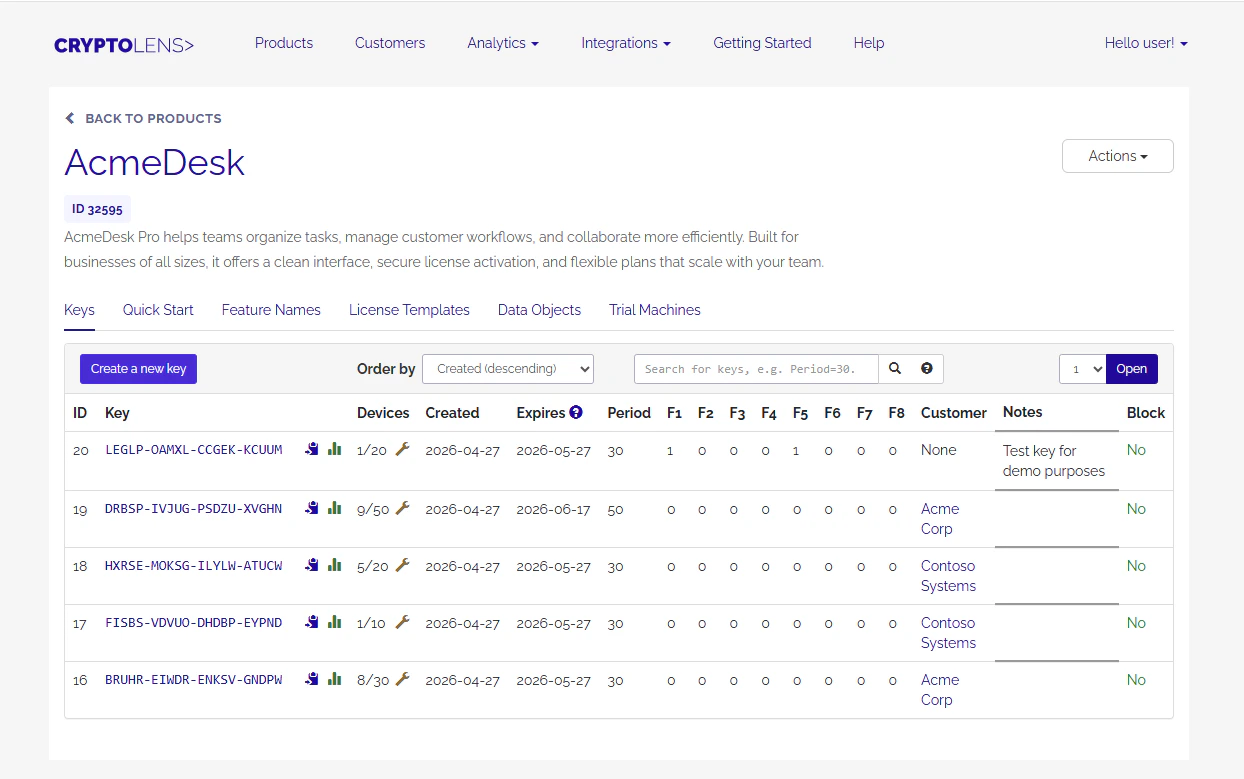
Product
A Product organizes license keys that unlock functionality in your application. In most cases, you create one product for each application you sell. There are exceptions where multiple products can make sense:- If your application consists of many standalone modules and each module needs its own expiry date, for example for trials or time-limited licenses, you can create a separate product for each module.
- If the modules do not need separate expiry dates, one product is usually enough. You can use features to decide which modules are active.
License key
A License Key is a 20-character string, for exampleMUYVD-LSEBY-CXHRQ-XFAGY, with licensing information associated with it. A key can store properties such as expiry date, blocked status, features, customer information, and custom metadata.
License keys are the main object your application verifies when deciding whether to unlock functionality.
Features
Features let you limit which parts of your product a customer can use. Eight feature flags are available by default, and you can extend this with custom feature definitions as described in feature templates. Features can also differentiate product editions, modules, trials, and time-limited offers.Data objects
Data objects are custom variables or metadata that can be attached to a license. They are useful when a licensing model needs additional properties, such as operating system, network, geo-location, credits, usage limits, or other product-specific values. For usage limits and credits, see usage-based licensing.Activated machines
Activated machines let you limit how many machines, users, networks, or other identifiers can use a license. From Devolens’ perspective, theMachineCode value is just a string. Your application decides what it represents.
You control the allowed count with the maximum number of machines property.
Common patterns include:
- Node-locking, where each activation is usually a device and remains active until it is deactivated through the API or dashboard.
- Floating licensing, where activations can expire automatically after inactivity.
- Pre-activated machines or users, where only an allowed list can use the license.
- Per-user seats using activations, where
MachineCoderepresents a stable user identifier instead of a device.
Customer
A Customer groups licenses that belong to the same customer or organization. When you sell multiple products, assigning each License Key to a Customer makes it easier to track and manage what that customer owns. Customer-linked licenses also unlock several customer access patterns:- Invite customers to the Customer portal, where they can manage licenses and activations.
- Bundle many licenses behind one customer secret.
- Let customers authenticate with user credentials instead of entering each license key manually.